How to Complain About a Sweeper Not Coming to Clean Your Neighbourhood — Online
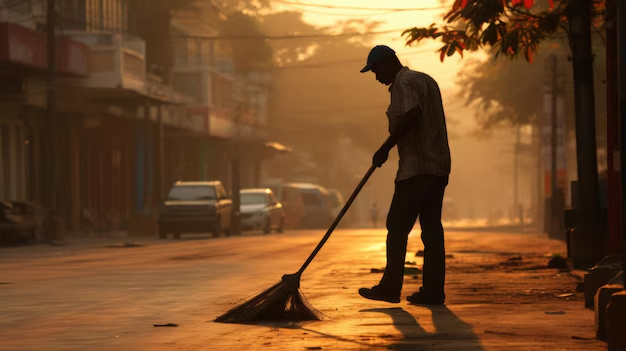
It usually starts small. The sweeper skips your lane for a day, then two, and by the end of the week there's a small pile of leaves and wrappers building up outside your gate. You ask the neighbour, and it turns out the same thing has been happening on their side of the road too. The local sweeper, whose salary comes from your property tax, just hasn't turned up.
Most people either wait it out or complain to a watchman who has no power to fix it. But you don't need to chase anyone in person anymore. Every municipal corporation in India now has an online system to log this exact complaint, and most of them are quicker than knocking on the ward office door.
Here's how to actually use them.
First, know that this is your right, not a favour
Street sweeping isn't a bonus service some corporations choose to offer. Under the Solid Waste Management Rules, 2016, every Urban Local Body — that's your municipal corporation, council, or nagar panchayat — is required to keep public streets clean and collect waste from every household. The Swachh Bharat Mission has pushed cities to set fixed timelines for fixing complaints like this, usually within a day or two of you reporting it.
So when you file a complaint, you're not asking for a special favour. You're flagging a service the corporation already contracted a sweeper for and is already paying for.
Step 1: Use the Swachhata App (works almost anywhere in India)
The Swachhata-MoHUA app, run by the Ministry of Housing and Urban Affairs, is the one national app that works across nearly every city and town in the country. It's free, available on Android and iOS, and doesn't need you to know which department to write to — you just pick a category and it routes the complaint to the right officer.
To use it:
Download "Swachhata-MoHUA" from the Play Store or App Store.
Register with your mobile number. The app usually detects your city on its own.
Tap on "Post a Complaint" and choose the category "Sweeping Not Done" (there are separate options for garbage dumps, dead animals, blocked drains, and dirty public toilets too, in case those apply as well).
Take a fresh photo of the unswept lane through the app — this timestamps and geo-tags it automatically, which makes the complaint harder to ignore.
Add a one-line description with your lane name or a nearby landmark, and submit.
You'll get a complaint number right away, and the app will notify you when the sanitation inspector takes action. Keep a screenshot of that number — you'll need it if you have to follow up later.
Step 2: Try your city's own municipal app too
Many big cities run their own grievance app alongside the national one, and these often work faster because they connect directly to the local sanitation inspector rather than routing through a central system. Depending on where you live, look for:
Delhi — MCD 311 app
Mumbai — MCGM 24x7 app
Bengaluru — BBMP Sahaaya
Pune — PMC Care
Hyderabad — MyGHMC
Chennai — Namma Chennai app
Kolkata — KMC Online
If your city isn't listed here, search "[your city] municipal corporation complaint app" — nearly every corporation has launched one in the last few years. It's worth filing on both the Swachhata app and your city's own app for the same issue. It costs you two minutes and doubles your chances of someone actually looking at it.
Step 3: File a complaint on your municipal corporation's website
If you'd rather not install another app, every municipal corporation website has a "Grievance" or "Register Complaint" section, usually right on the homepage. You'll typically be asked for:
Your name and phone number
Your ward number or area/locality
The category of complaint (choose sanitation, cleanliness, or street sweeping)
A short description and, if the form allows it, a photo
Most portals give you a complaint or ticket ID that you can use to check the status later, the same way you'd track a courier.
Step 4: Use CPGRAMS if your local complaint goes nowhere
If you've already complained through the Swachhata app or your city portal and nothing has changed after a week or two, you can take it to the Centralised Public Grievance Redress and Monitoring System at pgportal.gov.in. This is the central government's grievance platform, and complaints filed here get forwarded to the Ministry of Housing and Urban Affairs with a fixed deadline for a response. It's a good second step precisely because it puts your complaint on record outside the local system, so it can't just quietly get closed without action.
Step 5: Tag your municipal corporation on social media
This isn't official, but in India it works surprisingly often. Most municipal corporations, mayors, and even ward councillors are active on X (formerly Twitter), and a public post with a photo, your ward number, and their handle tagged tends to get attention faster than a form buried in a queue — nobody wants a complaint about an unswept street sitting under their own reply for days. A short post like "Sweeper hasn't come to [area name], Ward [number] for 6 days now @[YourCityMC]" along with a photo, plus your official complaint number if you already have one, is often enough to get a callback.
What to include so your complaint actually gets acted on
A vague complaint gets a vague response. Before you submit, make sure you have:
A clear photo of the unswept area, ideally with something in the frame that shows the date, like a newspaper or your phone's clock
Your exact location — lane name, house or plot number, or a nearby landmark that a sanitation inspector unfamiliar with your street can find
How long it's been going on — "hasn't come in 5 days" is far more useful than "sweeper doesn't come regularly"
Your ward number, if you know it (usually printed on your property tax receipt or findable on the corporation's website)
The more specific you are, the harder it is for anyone to mark your complaint "resolved" without actually sending someone.
What happens after you file
Once your complaint is logged, it's usually assigned to the sanitation inspector for your ward. Most cities aim to close a "sweeping not done" complaint within 24 to 48 hours. You'll typically get an SMS or app notification when it's marked resolved — and this is important: if the sweeper still hasn't shown up despite that notification, don't just let it sit. Reopen the complaint on the app if that option exists, or file a fresh one referencing the old ticket number.
If nothing happens after a week
Sometimes a complaint sits without action, especially in areas where the contractor managing sweeping staff is short-handed. If that happens:
Call or WhatsApp your ward's sanitation inspector directly. Their number is often listed on the municipal corporation's website under "Ward Officers" or similar.
Message your local councillor. Councillors are elected specifically to represent your ward, and a message with your complaint number and photos is usually enough to get them to push the file along.
Escalate through CPGRAMS, as mentioned above, if it's been ignored for over a week.
Persistent, unresolved sanitation failures can also be reported to your State Pollution Control Board, but that's really a last resort for cases where the ward-level channels have genuinely failed you more than once.
A quick note before you go
Filing one complaint rarely fixes things forever — sweepers get reassigned, contracts change hands, and the same lane can slip through the cracks again in a few months. If your street tends to be neglected, it's worth bookmarking the Swachhata app and your city's portal so reporting it becomes a two-minute habit rather than a one-time effort. A clean lane usually comes down to a handful of residents who keep flagging it until the corporation notices the pattern.


Comments